v1.3.3 is now available 🚀

Copy smarter,
paste faster.

The ultimate browser extension for developers and researchers. Clean URLs, format markdown, and streamline your workflow in one click.

Packed with Power

Everything you need to manage links, without the clutter.

Instant Visual Feedback Toast
New Feature

Instant Visual Feedback

Never guess if you copied correctly. Our new Smart Toast shows you exactly what's in your clipboard, complete with a preview of the formatted link.

  • Live content preview
  • Keyboard shortcut support
  • Dark mode aesthetics
Smart Paste Contexts
Smart Contexts

Paste Anywhere

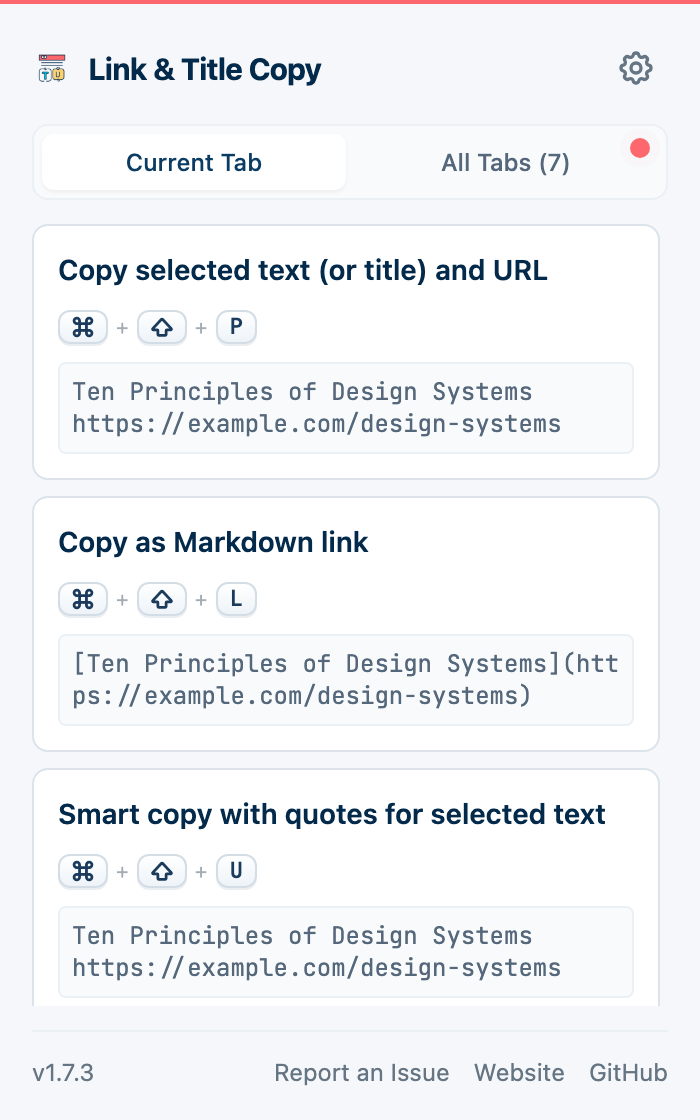
Intelligently adapts to your needs. Copy as Markdown for your notes, HTML for your blog, or clean URLs for sharing.

  • Markdown & Rich Text support
  • Smart fallback logic
  • Customizable templates
Powerful Shortcut Configuration
⚙️ Total Control

Powerful Configuration

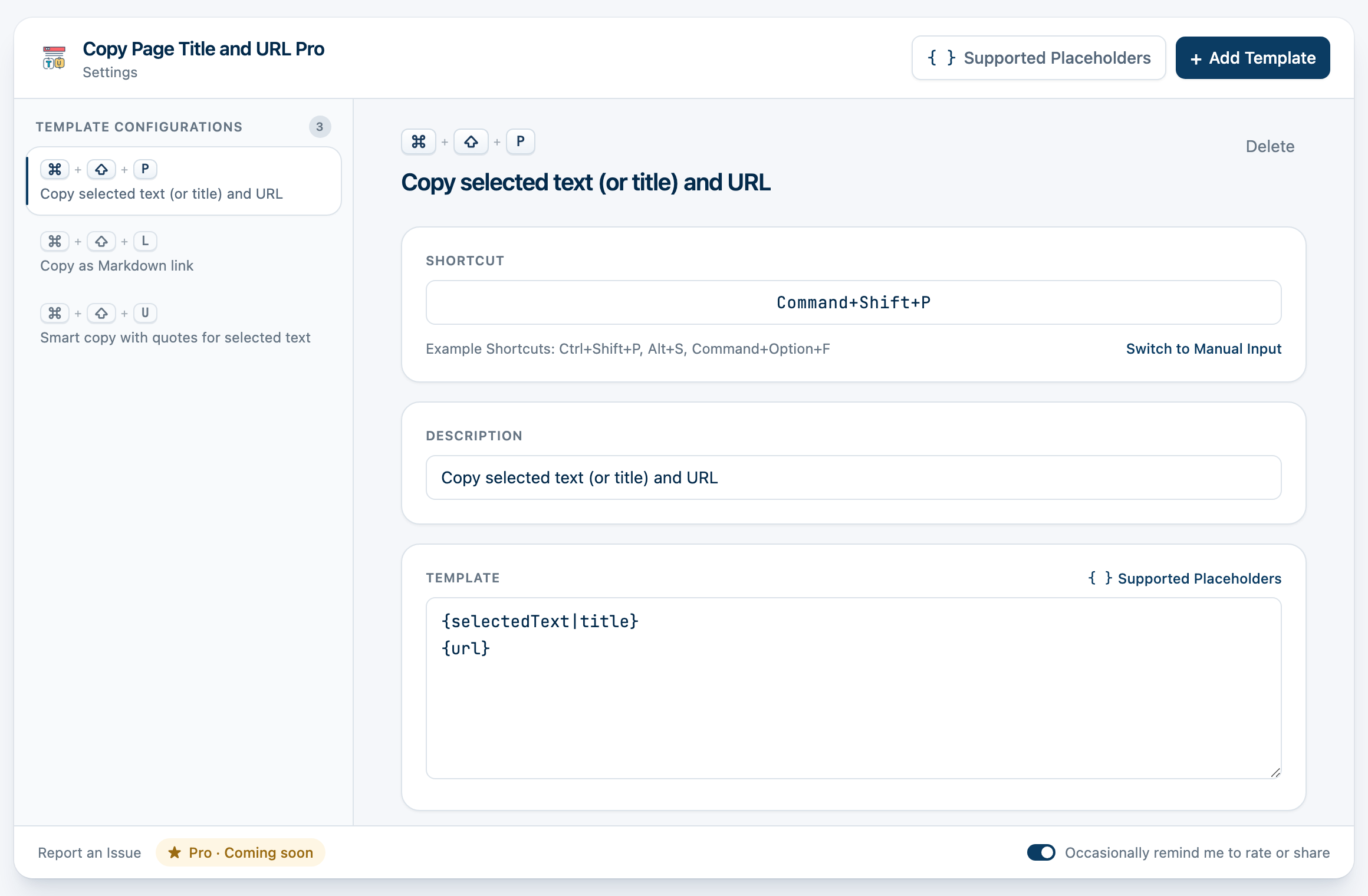
Take full control of your workflow. Customize shortcuts, manage templates, and toggle smart features with an intuitive interface.

  • Drag-and-drop ordering
  • Real-time preview
  • One-click feature toggles
📝

Custom Templates

Define your own formats using placeholders like {title}, {url}, and markdown syntax.

🧹

Clean URLs

Say goodbye to 500-character tracking links. Automatically strip utm_source and other analytics garbage.

⌨️

Shortcuts & i18n

Bind your favorite templates to keyboard shortcuts. Fully localized in multiple languages.

Built for Every Workflow

For Developers

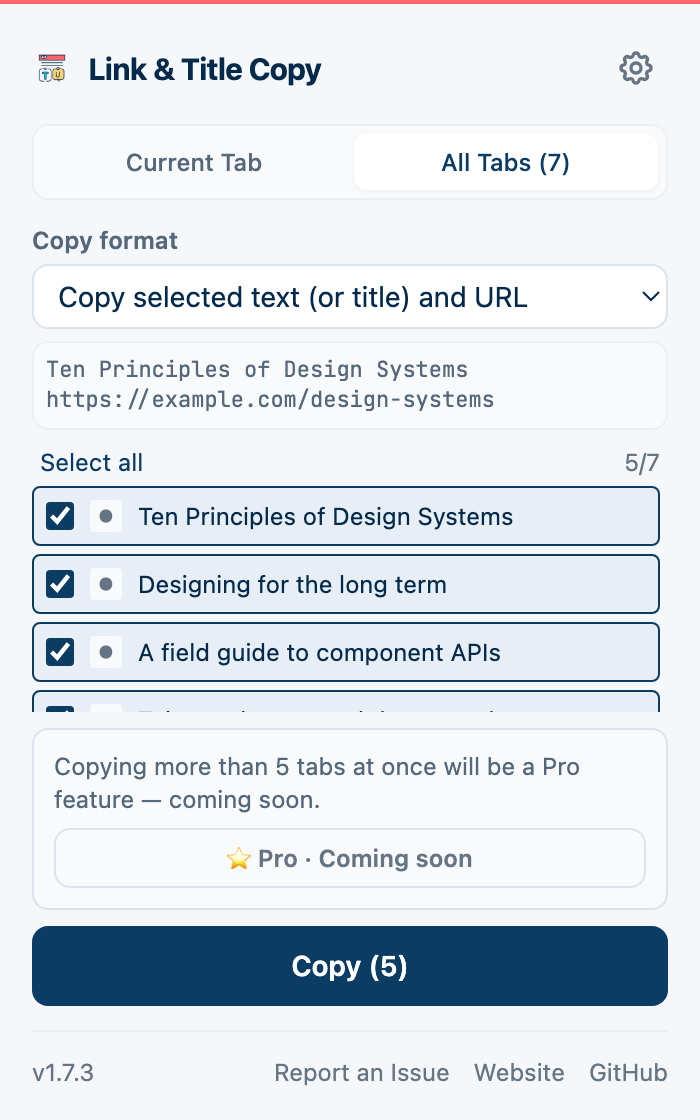
Copy links for Git commit messages, Jira tickets, or generic Markdown documentation instantly.

For Writers

Streamline your citations. Perfect for grabbing links for blog posts, formatted HTML, or newsletter curation.

For Research

Integrates perfectly with Obsidian, Logseq, and Notion to build your second brain faster.

For Everyone

Share clean links with friends without the ugly ?utm_... tracking parameters attached.

How it Works

1

Install Extension

Add to Chrome in seconds. No account required.

2

Setup Templates

Configure your favorite formats like Markdown, Org-mode, or HTML.

3

One-Click Copy

Click the icon or use a shortcut to grab the link instantly.

Frequently Asked Questions

Is it completely free?

Yes, Copy Page Title and URL Pro is open-source and 100% free forever. No hidden subscriptions.

Does it track my data?

Absolutely not. We do not collect, store, or transmit any usage data. Everything happens locally on your browser. See our Privacy Policy.

Can I create my own formats?

Yes! You can create unlimited custom templates using placeholders like {title} and {url}.