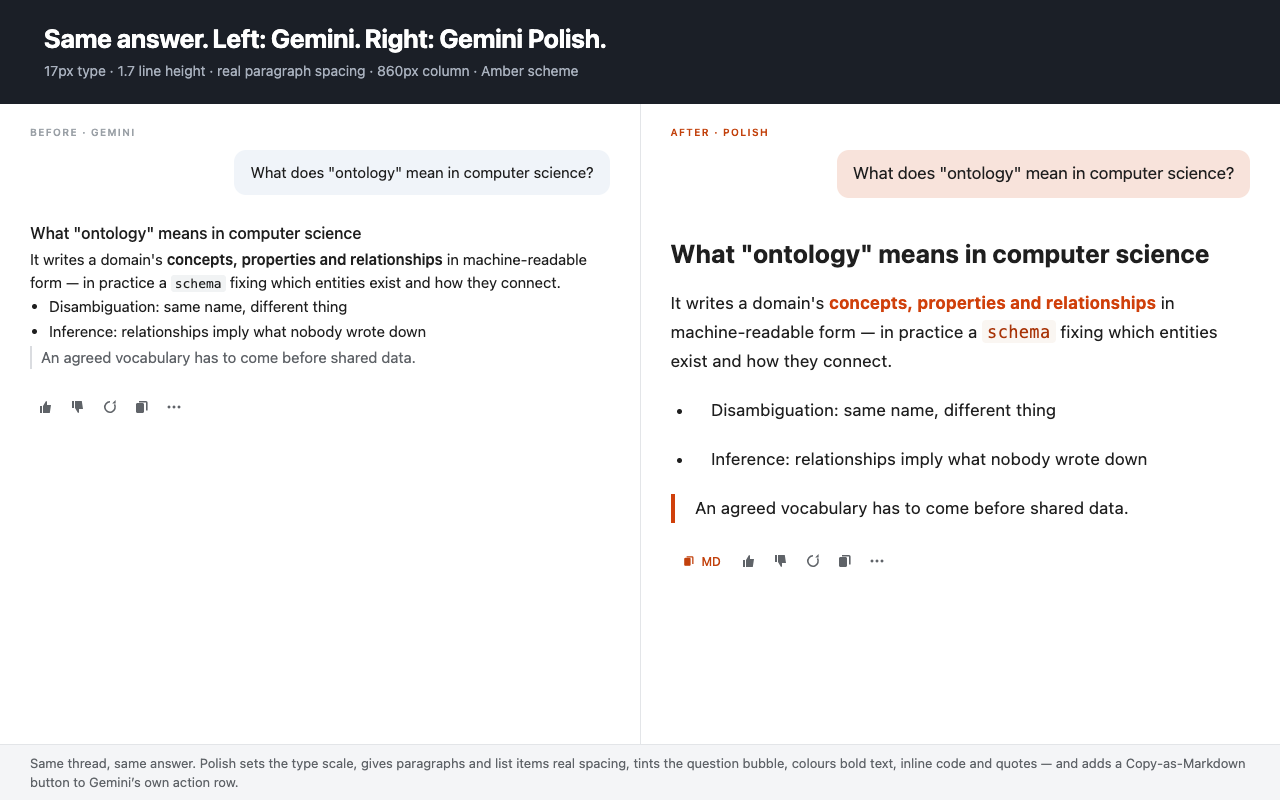
You're not alone. Many users find the native Google Gemini UI hard to read. Between the lack of proper typography and unrendered Mermaid syntax, reading long AI responses can quickly cause eye strain. Gemini Polish fixes this completely.
Tired of Gemini's dense and paragraph-heavy outputs? If you feel the text layout is too wide or fonts look blurred, our optimized line heights provide a distraction-free reading experience.
Stop dealing with user messages rendering raw text. We force-render Markdown so you can instantly view sequence diagrams and flowcharts in a crisp split-view renderer.
Breathe life into your AI workspace. We enhance Gemini's syntax highlighting and background colors so evaluating code blocks feels like using a premium IDE.
Say goodbye to code block format breaks in long chats. Gemini Polish completely revamps the reading surface with an ultra-wide container, professional syntax highlighting, and native CJK typography optimizations so you can read code without straining your eyes.
Fix those frustrating Gemini Mermaid syntax struggles. When the AI outputs raw Markdown code for diagrams, we instantly detect it and force-render a gorgeous, high-definition vector graphic alongside the chat.
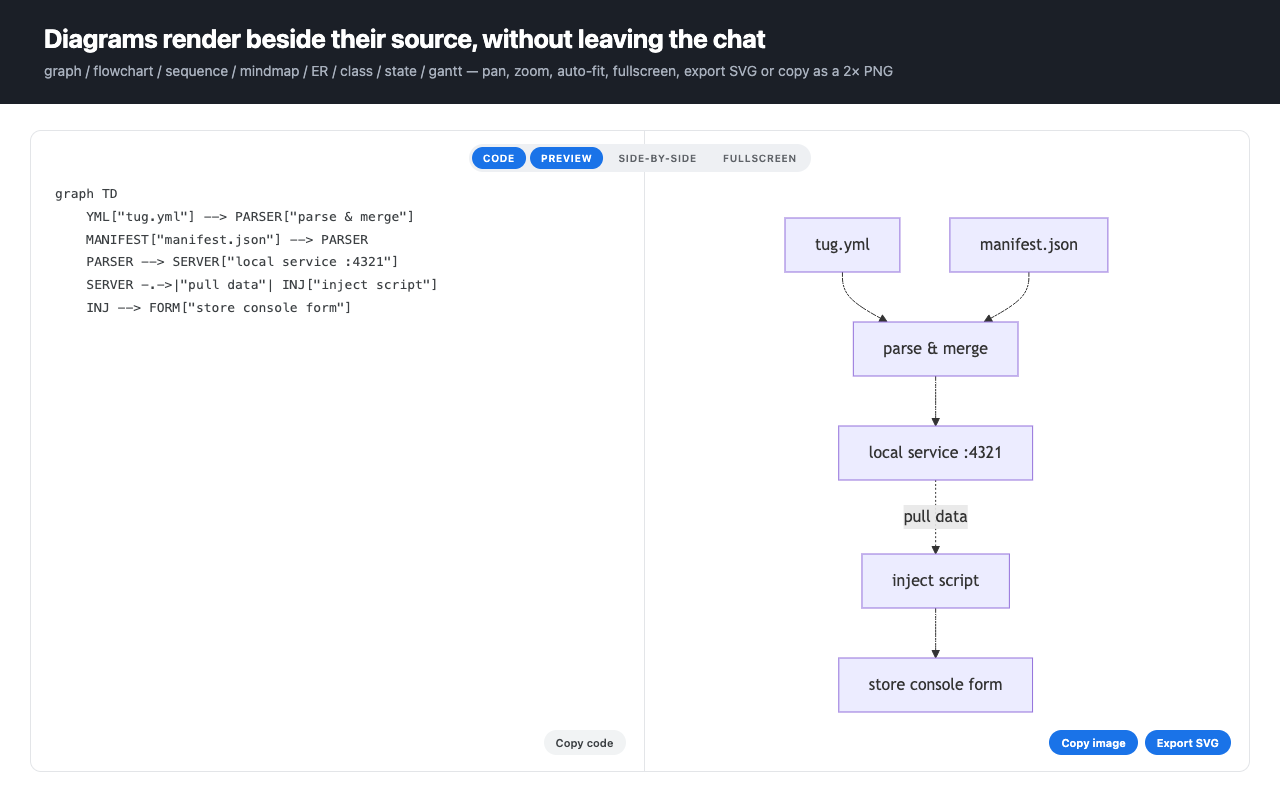
Match your workspace to your vibe. Whether you prefer a sleek developer dark mode or a clean, focused light theme, our built-in schemes make interacting with AI a joy rather than a chore. Tweak the layout exactly how you like it via the settings panel.
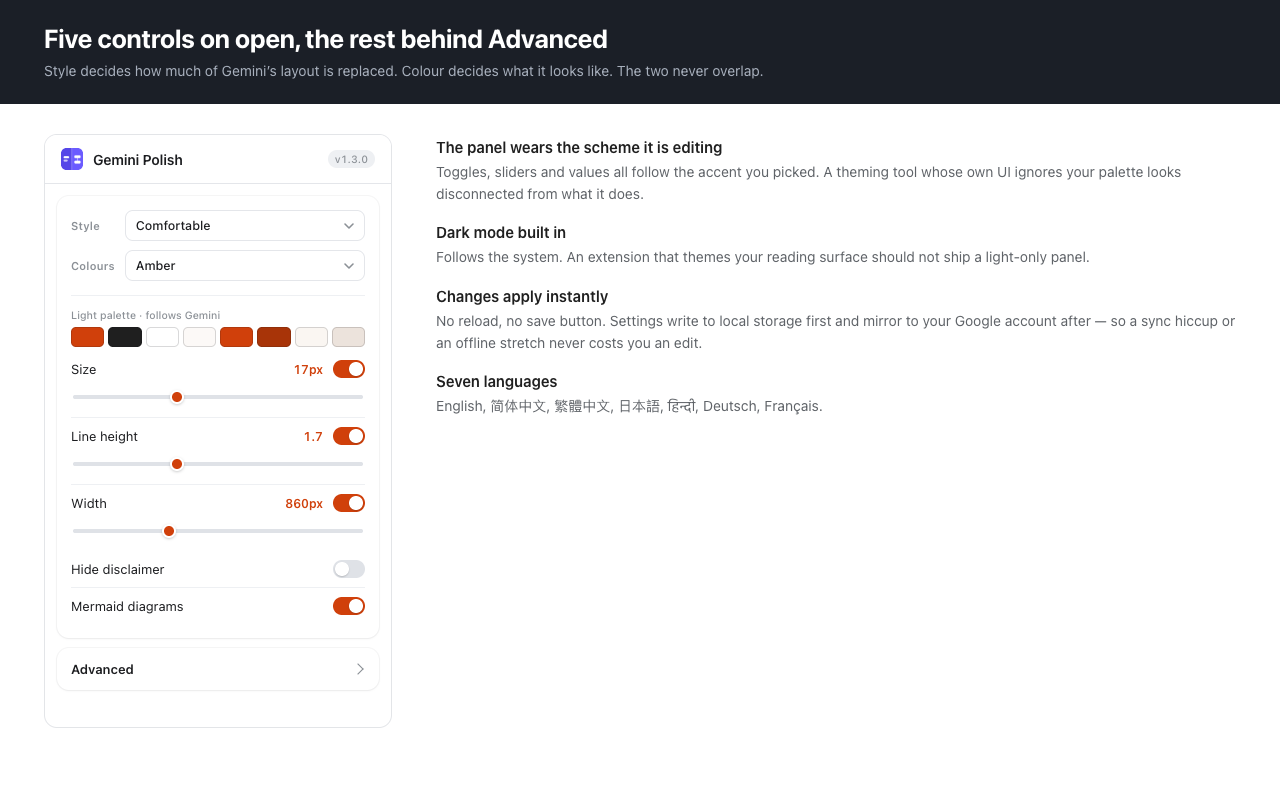
Normally, Gemini displays raw Markdown code for charts. Gemini Polish automatically detects Mermaid syntax and provides a high-definition, split-view diagram renderer right inside your chat window.
Yes! Beyond being a powerful AI diagramming tool, this browser extension acts as a complete theme engine. It enhances Google Gemini's default typography, code block syntax highlighting, and overall reading layout for a better user experience.
Absolutely. Our pro interaction features include trackpad zoom, drag-to-pan, and full-screen toggles, making it the perfect visualizer for complex software architecture, sequence diagrams, and flowcharts generated by AI.
Yes! A major issue with the native Gemini UI is poor font rendering for Asian languages. We enforce strict font fallbacks (PingFang, Hiragino, Malgun Gothic) to ensure Chinese, Japanese, and Korean characters display perfectly on any OS.